Sunday, December 5, 2021

Blog Post 3

 The tasks I was assigned for Sprint 6:

  • Textures for rocky planets

  • Textures for snowy planets

Both were completed.


In sprint 6, I was able to complete these two tasks on time, however they were not implemented in the game. 


Rocky Planet with no water


For each task, I created a custom material in Substance Alchemist for the base textures. I based the snowy planets off of the rocky planet, and created a few variants using Alchemist. From there, I imported the material into Painter and created unique textures for each variant of the rocky and snowy planets with areas (or lack thereof) of water and other unique features.


The tasks I have been assigned for Sprint 7:

  • Creating a parallax background for the game scene

  • Creating the app icon

  • Creating a promotional poster

  • Creating a featured image banner

  • Creating a trailer with gameplay

As of halfway through the sprint, the poster and app icon have been completed. Currently, I am working on creating the parallax background.


For the promotional poster, I discussed with our lead about the art style and what exactly he wanted to display on the poster. This is the sketch that I came up with based on his suggestions and ideas:


Poster Sketch


I used Adobe Illustrator to outline and cel shade the poster’s components, using the sketch as a guide. We decided to go with this art style because we felt it fit the games style the best, and that it would best represent the game as a whole. The biggest thing I wanted to highlight and feature was the spaceship, of course, so that was the first component I worked on. My biggest issues were: fixing the perspective on the space shuttle wings, and shading the shuttle. Despite the simplistic look of cel shading, it’s actually surprisingly difficult to get the look of the shading right. It took a couple rounds (including messing around with Illustrator’s pathfinders) to get the shading down, but in the end I think the product looks pretty good. 


Promotional Poster

For the asteroid, I looked at a couple realistic references and a couple clip art references to get the look I was going for - something in between cartoon and real. This was fairly simple to do, and I ended up liking the look of this one the best. Finally, for the last main component, I worked on the sun. The sun./star was probably the most tricky component to figure out, shading wise. I debated between utilizing a texture that we already had or creating a new shader to better match the cel shading idea, and I went with the latter. 


Sunday, November 7, 2021

Rogue Light: Interstellar Blog Post 2

 Tasks I was assigned in Sprint 4:

  • Create spaceship model (Modeling) (1)

  • Flame particle system (Art) (1)

  • Find a method to test game without building it (Programming) (1)

  • Code the game end (Programming) (1)

All tasks assigned for this sprint were completed.


The first task I finished during this sprint was the creation of the spaceship model. For this, I referenced the ship I created in Sprint 1, as well as several different space shuttles. I also created the model to be modular, which was important to have since the ship will (potentially) have upgrades in the future. 


I didn’t struggle much with this task. I think the biggest challenge was translating this model from 2D to 3D, and having to take the game’s view into account. The game view is in sort of a half and half of 2D and 3D - using 3D assets from a straight on, 2D view. In addition to being needed for this fact, I was able to make the ship look more accurate to a real life ship with angled fins (which would make them visible from a straight on 2D view). 


Spaceship Model; to be updated.


My next task was also fairly simple, which was creating a particle effect for the thrusters. For this, I created a custom particle in Photoshop, which I then put into the Unity particle system, and adjusted the settings to create a thruster fire effect. 


My biggest issue was figuring out how to make exactly what I was thinking of. Going back to an old project from 373, I was able to heavily reference the fire effect I used in that project to then create the new thruster effect.


Thruster Particles


Next, I researched and implemented a way to test the game without having to send the project to a build every time we wanted to test the game. The primary issue we had was that we couldn’t test the controls consistently, so we decided to see if there was a way to test the game on a mobile device without sending it to an APK, putting it on a phone, installing the APK, then testing the update for every little change made in the code. Conveniently I happened to stumble upon this option while watching a Unity tutorial. This went pretty smoothly and didn’t run into many issues while setting it up. My only problem is that I wish this feature was better documented.


Finally, my final task that I finished for this sprint, I programmed the game end. Based on the design I made, I created a script that would allow players to reach an end screen (for the moment, it is set so that the log prints a “You Win!” for testing purposes) once they hit 50 million money. In the future, I will add to this code to include other requisites in order to reach the end of the game.


Figuring out how to link the requisites was tricky, as it was taking components from scripts that our lead/programmer had created and I needed to pick through those scripts. 


Tasks I was assigned in Sprint 5:

  • Create moon textures (Texturing) (3)

  • Create star textures (Texturing) (3)

  • Create new higher poly model for stars/planets (Modeling) (1)

  • Create particle system for Mythical Comet (1)

All tasks assigned for this sprint were completed. 


For this sprint, I worked on primarily texturing and modeling tasks. The first task I worked on was creating the higher poly model for the stars/planets. One thing we noticed was that many planets and stars were very angular (low poly) at the size we were using them at, so I quickly created a sphere model in Maya with a higher poly count than the one in Unity. I then UVed it in order to do the rest of my texturing tasks.


My issue with this part of the project is probably figuring out where to put the seams of the UV shells. At first, I just tried doing it down the middle, in half, on the line where the players wouldn’t be able to see it, but unfortunately this meant a lot of compression and stretching in major places, so I did another cut down the middle. Later on I discovered the textures I had created had a randomized enough of a pattern that it would be hard to spot the seam anyway.


For my second task, I created 15 different textures to be used on different variations of the stars. For half of them, I based it off of this chart to create some realistic textures, then I went and created some more fantasy colors for the rest of them. They all had the same basic pattern, but each has their own unique color. 


Star texture - Blue Fire variation


I think my primary issue with this task was that I was just blocked, inspiration wise. It seems fairly simple from the outside, but given that this is a HUGE part of the game’s overall image and feel, it was something I had to think about a lot more than I originally thought. In the end, I was able to create colors that I feel would fit the feel of this game.


This next task was creating a new material for the moons in this game. I wanted to create something that was easily adjustable in painter so that I could easily create variations of it in Substance Painter. I used Substance Designer to create a basic Moon texture, and then imported that into Painter. Next, I created a couple custom alpha stamps that could be used to create different unique crater patterns on the different variations of the moons.


I didn’t really run into any issues with this task. This material easily covered up the UV seams I was worried about and turned out fairly well.


One of the moons I textured. No visible seams!
My final task, which was assigned last minute as I still had some time left during the sprint, was creating the Mythical Comet particle system. Under the request of the team lead, I just created a quick simple rainbow particle system. The trickiest part of the process was creating the rainbow gradient, but overall this was a very simple task. I didn't run into any issues during this task.


Rainbow Particles for the Mythical comet.


Over these last two sprints, I think I did a good chunk of work. Although I do feel that I could have done more in the 4th sprint, i think I have finally gotten into the groove with the amount of tasks I got in the 5th sprint (with two of my tasks being worth 3 points each). In the future I will continue to work on some of these tasks, like modeling the modular upgrades to the spaceship and updating the win code to fit the new vision of the game.


Friday, October 15, 2021

Game Controller Assignment - Final

This week was texturing and final renders. For this assignment, I used heavy references of a Sega Dreamcast controller to help me figure out the right color and texture I needed for the controller.

Controller Ref

The Analog stick is Shiny!

I had to make some Alpha stamps for the logo and a few other details on the body of the controller. These were:

  • Dreamcast Swirl Logo
  • Dreamcast Text Logo
  • Dreamcast Logo outline
  • U indent around screen
The logo was very simple - I took a vector of the logo, changed the color of the components I needed to white, and added a black background. I had to separate the swirl and text parts of the logo as they are different colors. As for the outline, I combined a rounded rectangle and an ellipse, and added a rounded transition between the two, and repeated the same color changing process. Finally, for the indent, I created the shape using a circle and rectangle, made the outline white and fill transparent, and added a black background. I exported all of these as JPEGs and imported them into Painter. For the ABXY and Start buttons, I just used one of the text alphas in Substance. 

Outline
Swirl Logo


One of the biggest problems for me was that I ended up using the wrong model (low poly) for texturing, and had to redo it. Fortunately, I was able to transfer all of my materials and masks over using exports and adjusted it to fit the high poly, subdivided model. It went relatively smoothly, with only a couple of spots that would need to be redone completely. 

Rendering was easy as well. I've already done it a handful of times in 350 - my 3D scanning class - so it was a very simple process for me.

Final Render


Sunday, October 10, 2021

Rogue Light: Interstellar Post 1

The game that I am working on is called Rogue Light: Interstellar. It’s a idle game centered around mining and resource collecting, with the player operating a ship that goes from star system to star system, mining resources from different planets and selling them to gain a profit.

For this sprint, my tasks mainly centered around game design and programming.


Completed:

  • Main Menu (Programming)

  • Spaceship art (Art)

  • NPC ship interactions (Game Design)

  • Buying/Selling economy for planets (Game Design)

  • Programming buying/selling economy for planets (Programming)

  • Programming NPC ship interaction (Programming)

  • Game Win requirements (Game Design)

In Progress:

  • Game Win (Programming) 

Incomplete:

  • Optimized build test (Programming)


The Main Menu was the first thing I created. While it has not been implemented in a prototype and needs to be updated to work with the current iterations of the game, it functions and will be worked into the final product. This was a fairly easy programming task as I’ve created menus in the past, and will continue to update this feature of the game as we create an official rule sheet and develop the Save/Load functionality in the game.

The Code!
The Product!


The next task was creating the Spaceship art. I created the piece to be modular to allow upgrades to be added easily from a visual aspect. I did a bit of research to find the kind of spaceship we wanted to use for the game, and settled on one that was inspired by a shuttle rather than a rocket. As more and more is completed within the game, I will be adding more upgrades for the ship when they are created. 


The NPC Ship interactions were created to add some action to the game while players waited to get their income and resources. These interactions include buying, selling, trading, missions/quests, buying intel, and trivia quizzes. The buying and selling are similar - the ship will request to either buy or sell you an item at a randomly generated price in a certain range around the “standard” price. Players will need to determine whether or not the price is worth it based on experience, their current situation, and other factors. The trading system is similar, except that the ship will request to trade a certain amount of a resource for another amount of another resource. The missions/quests are quests that the ship will ask the player to do, and will reward players if they accept and complete the quest. The intel is information that the ship is selling to the player that will reveal other star systems and information about certain areas. The trivia quizzes are small quizzes that the players can take part in and get rewards for answering questions correctly. Topics will pertain to in-game information. At the moment, I only have the buying/selling system programmed, however at the point my group is at, this is the only interaction that we can realistically include at this stage. 


Buying/Selling with ships - still a work in progress


The Buying/selling economy of the planets was the next aspect I designed. There is a standard price for each resource, but there are factors that affect this price for each planet. There are 3 total factors that affect the selling price of resources:(1) Whether or not the planet produces the resource the player is selling, (2) whether or not the planet uses the resource the player is selling, and (3) how large the population is. For (1), if the answer is yes, then the selling price is .25 the standard price of the resource, but if the answer is no, then the selling price is the standard price of the resource. For (2), if the answer is yes, the selling price is 2 times the standard price of the resource, bu if the answer is no, then the selling price is the standard price of the resource. For (3), there are 3 classifications of populations for star systems. Popular, Balanced, and Sparse are the classifications. Popular star systems will have a multiplier of 1.5, Balanced has a multiplier of 1 (no change), and Sparse has a multiplier of .75. All of these multiplier stack as well. For example, a player sells Iron to a planet that needs it to produce a product (x2), but has a Sparse population (.75). If the standard price of Iron is 50, then the resulting selling price is 50 x 2 x .75 = 75. Players will have to strategize where they sell certain items and factor in all variables. I have programmed the first two factors into the buy/sell system of the planets, as the third variable still needs some work. However, for the moment the two factors are enough to add some variety and strategy into the game.


The code that determines the price of a resource


I was also assigned the task of creating the requirements for winning the game. For the game that we currently have, the requirements are: Have 50 million dollars (the number is adjustable as we fine tune details and understand how players earn money), have 5 collectable items, and have spaceship parts all upgraded to level 5. Players will get collectable items by  creating a stable sustainable economy within a star system, in which players will receive a star gem that the star system grants them. For the moment, there will be 5 in total.


So far, I feel like I’ve fallen behind on my tasks. I do believe that part of the reason is that I have invested a lot of time into researching how to program certain features in Unity, especially since my knowledge of Unity lies mostly in programming platformers and not idle games. However, with some assistance from my project lead, who is also our main programmer, I was able to figure out how to program these things in. I do spend a lot of time brainstorming the logic behind the programs I end up creating which speeds up the process a lot. In the future I hope to manage my time better and get more points done for the rest of the sprints.


Wednesday, September 8, 2021

Video Game Controller Proposal

 For this assignment, I want to model the Sega Dreamcast controller. I think the shape is interesting, has unique button placement, as well as a tiny screen that I think will be fun to replicate. 


The challenges of this controller is, for any controller I think, getting the shape down. The shape of the controller isn’t a standard shape, and there’s a lot of unique curves that it has in addition to a giant battery pack. I think the screen might be a fun challenge as well, but not terribly difficult. Should I chose to add it, making a cord that looks natural will also be difficult.


Alternatively, I would love to do the Wii Remote. This one I feel would be fairly simple to model, so in order to make it a bit more challenging, I would want to add the Wii Remote Jacket as well, and possibly the Wii Motion Plus attachment.


The most difficult aspect of this model would probably be the Wii Remote Jacket since it's such a unique shape, and it's on top of the controller, encasing it in a skin.

Sunday, May 16, 2021

370 Postmortem (Sprint 5)

This week I worked on putting the finishing touches on our game. This included finalizing the torches, the UI, obstacles, and generally polishing the game.

Trello Board

Finalizing the torches was probably the trickiest part I had to tackle for this assignment. For this, I looked into various timers and timing methods to use for the torches. Ultimately, I landed on the WaitForSeconds coroutine which was a bit tricky to implement but I was able to figure it out eventually. I made the torch timer a public integer so that it could be edited as we playtested our prototype and figured out the timing of the torches.

TorchPickup code
For the obstacles, I specifically focused on the foliage. The foliage was a fairly simple piece of code - a collider, tagged with "foliage", would decrease the players speed significantly whenever the player touches it. Jumping to escape this boundary reverted the speed back to normal. The method I used may not have been the most efficient but it worked for our needs. In the future, had I given myself more time, I would have utilized a more efficient and effective method for this mechanic. I would have loved to consult the programmer for Group 1's game, Sea and Snow, since their core mechanic revolves around a very similar premise.

For the UI, I simply added a Lives counter to be displayed, and a game over screen for when the lives hit zero. Additionally, I had to fix the code that linked the health bar and lives counter. I worked with Matthew to figure out his code, then began to work the two pieces together. It was a fairly simple process, but working out the bugs that came with it was probably the most complex part. The idea is that when the player's HP hits 0, they lose a life and they must respawn at the last checkpoint. It went back and forth between working with the health bar, to working with the checkpoint, to working with the lives, but never all at once. Eventually, after a late night call, I figured out the solution after explaining my problem out loud to another classmate who was more experienced and realizing my error. In the end it was a fairly simple fix (resetting the health bar when you respawn) and the basis for our game was 100% complete.


During our last-minute scramble to get everything completely finished for the final, we just went over all of our code to make sure that any functioning code still functioned, and anything that was incomplete was commented out or removed from our game entirely. Our sprites had already been added on at this point, however we just did a few last minute checks to make sure the sizing was right and that the sprites all still worked with their new colliders and such.


Looking back on this project, I think we did a pretty good job with our game. We got all of our basic mechanics completed for the final prototype, we had some art done, and it functioned well. Our group was in constant good communication, and we each worked on our equal share of the work, assisting each other in the tasks (especially the programming tasks), and critiquing and helping each other when we got stuck. 

I think our biggest weakness was time management. We definitely put things off and it affected our prototype, as it always ended up coming up short of where we wanted it to be. For example, for this last sprint, I think we could have fit in the powerup that I wanted to implement since the beginning had we started a little earlier. As we went on, however, we began using the point system which was very helpful in managing our expectations and getting things done on time.

Final Game - Level 1

Moving forward, I think spreading out the work more evenly earlier on would have been massively beneficial for us. Most of the heavy lifting landed on the programmer, and I (the modeler) and Amir (the level designer) got off with some easy work the first couple of sprints. This resulted in lots of tasks being delegated to Matthew (our programmer), so we decided to start taking on some of the programming work, and also share some of the tasks with him. Ultimately, this is definitely the method to use in the future for new group projects and working in a group in general.

ePortfolio 320 Spring 2021 Post

 Charcuterie Board: I was unable to complete this assignment. Due to time management issues, I did not complete the assignment. 


Tie Interceptor + Crate: 


For this assignment, I decided to texture the tie fighter to as close to the actual thing as possible. To do this, I referenced photos of toys, as well as concept art and other art from Star Wars artbooks. 


Originally I wanted it to look more like the tie fighters of the newer movies, however I thought this would be more accurate, and I ultimately liked it a lot better.


For my crate, I based it off of the crates from Super Animal Royale. I really like the original aesthetic, so I made a crate using the same colors and wear, as well as adding the SAR (rebellion) logo to it.


I’m really proud of how these two turned out. While I had problems UVing the tie interceptor, I was able to work through the problems, which turned out to be fairly simple, and completed UVing it with enough time to texture it. 


I think ultimately I created a project that I am proud of and would like to continue with texturing objects like this. I really loved the way my crate turned out, with how I placed my weathering (scratches, dirt) and the way I interpreted the original 2D design and created a 3D object out of it. The tie fighe also turned out super well, even with a couple of UV errors. I think I created an accurate recreation of the Tie Interceptor from the movies/books, and in the future I would want to add even more detail to it.

VW Bus/Final Project:

While I was unable to complete the VW bus at the original due date, I completed it in order to be able to use it for the final project. 


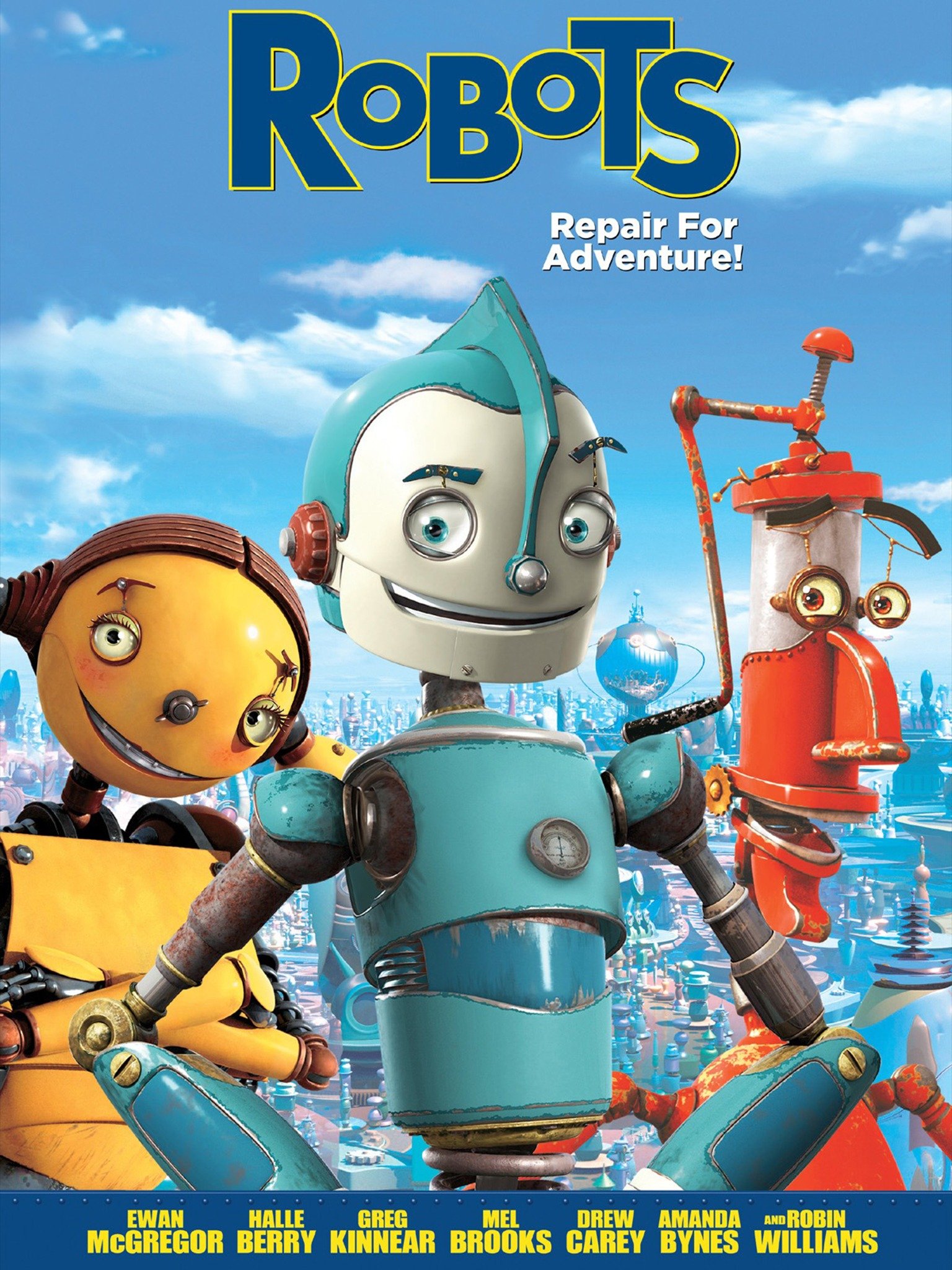
For the VW bus, I thought it looked a lot like the main character from the movie Robots, and was inspired by the colors, so I made my bus with similar colors. Since Robots had characters that were kind of grungy and dirty, I incorporated that into my textures to create an imperfect texture. 


I'm not sure why it reminds me of this.


One of the final renders.


Along with that theme, I decided to make it into a car wash/car maintenance scene for the final microscene project. I made up a list of assets I wanted to add (in addition to the 4 assets I made for the original assignment) that I could model easily but still fit the theme. My assets were:


  • Bucket

  • Sponge

  • Gas/Jerry Can

  • Squeegee

  • Hose

  • Building facade

  • Wash rag/cloth

  • Car duster

  • Funnel

  • Fluid Jug

  • Tire

  • Air canister

  • Toolbox

  • Spray bottle

In order to create these assets, I learned and mastered a few modeling tools that I have not previously used, like the multi cut tool (which I never felt I learned properly in previous classes, and this was a great opportunity to learn how to use it), or the symmetry tool. Utilizing these tools allowed me to create models I didn’t think I was able to without extensive knowledge of modeling. I’m proud of the assets I was able to create, and the textures I created for them. 


I definitely ran into a lot of issues. One of the biggest was UVs being missing, or flipped. I was able to utilize the legacy version of the Layout tool to target, flip, and unstack UVs, and it saved me a lot of time trying to find tiny little pieces that were flipped due to duplication and negative scaling. I had to reimport my objects several times before I was able to start texturing (which is why I was unable to turn in the original assignment), but ultimately I was able to texture my scene. 

Sunday, May 9, 2021

Reap What You Sow

Over Winter Break, I had the pleasure of working on a digitized card game called Reap What You Sow. While we did not end up completing the project, I was able to design and draw several of the cards for the game. 

Reap What You Sow is a card game based on farming, with a fantasy theme. You must plan ahead in this game in order to guarantee your success later on in the game in order to collect the most money and win the game.

Since this project took place over the winter break, I was not able to finish each card I picked for the project, but was able to complete a good amount and start some as well.

Here some of my completed designs:

Cow card, including a Strawberry Cow, Chocolate Cow, and a regular cow. Design heavily inspired by the Harvest Moon/Story of Seasons series.

Crystal Card, an original design.

Magic Fertilizer card, with mild influence from the Harvest Moon/Story of Seasons series.
And here are some of my in progress ideas, approved by the project lead but did not get to finish:

Fountain of Life, an original design.

Goldhound, inspired by JennaMarble's Italian Greyhound, Kermit.

Sheep, also lightly inspired by Harvest Moon, with Cotton Candy, Black, and White Sheep variations.

Working on this project taught me a lot about time management, team project working, and good communication. I would love to work on a project like this again, but more long term. 


Sunday, May 2, 2021

Sprint 4

 This week I worked, along with our programmer, on the code to improve upon the existing code that we have written for the game. Our movement was a big problem during our last sprint, and we wanted to fix that in addition to many other problems we had with the code.


Trello Board screenshot taken after Sprint 5 cards were added, blacked out new cards.


The first thing I wanted to jump on was creating a lives system for the player. While it did not make it into the final build, it still functioned in tests and added a consequence to dying in the game, rather than giving the player unlimited chances at beating it. This code still needs work, as integrations into the player respawn are being worked on. Currently, it does not work to give the player a game over, however it does count down the lives within the debug log.


Player Lives

This code counts down your lives each time you die (hitting an enemy, an obstacle, or falling off the level). Once you hit 0 lives, your character becomes inactive and you can no longer control the player. I will be building off of this code to implement a health system, as well as creating a game over screen with menu buttons to restart the game or exit the game.


I definitely ran into a handful of problems when creating this function. Even though the code looks fairly simple, I had to go into the player death code to modify some broken functions in order to make my code work how I wanted. There was also the issue of prefabs being messed up and needing to work with Matthew, our programmer, to get those resolved.

Torch Code

I also created the torch light system, with a little assistance from Matthew. To create this system, I built off of the existing torch system. The existing system made the torches a collectable item, but did not activate a light. It counted the number of torches collected as well. In order to make it so that the player was holding the torch, I duplicated a torch prefab, which I then childed to the player object and hid in the inspector. The code functions in such a way that when the player touches a torch object, it will unhide the torch object, and the player would then be carrying the light. In the future, I will be adding a timer to the torch so that it is only on for a certain amount of time.


We had lots of problems with the respawning system not working, and were not able to figure out these problems before the playtest happened. However, we were able to fix these problems in the few days after the playtest before the sprint was over and now have a much better working game. In order to fix these, I had to almost start the respawn code over from scratch. Originally, I had added the PlayerLives() function to the respawn code, but this broke the function and it did not work at all after that, even though it was only partially working at that point anyway. I read over the player death script and figured out what made the respawn work for obstacles and falling, but not the enemy, and created a new respawn code. It was fairly simple but working with code that I was unfamiliar with made it more difficult to work with. In the end, I created a respawn function that respawns the player to the most recent checkpoint they passed.

Player Death/Respawn

The last thing I created was a collectable item. Very simply, the player collects the item by touching it and the console prints "Item Collected". In the future, this will be added to the players save file and you will be able to view your collected items from the levels.

I ran into a lot of programming issues. As I am not a programmer, I fell back onto my 180 projects a lot to create my functions. A lot of the ideas that we wanted to incorporated into the game I had previously created in 180. I also found that whatever tutorials Matthew and Amir had previously used to create other assets did not do things in the most efficient or user friendly way, so I managed to simplify them and make a system that was much easier to work with in order to implement new systems and mechanics.

For the last sprint, I will be refining these mechanics, as well as adding essential ones (obstacles, for example) to the game. I want to create a timed torch system (a key part of the core mechanic), a health bar, and an official game over screen. I also want to add the UI so the player can see their lives and collectables, as well as add power ups and animate the sprites.

Final Course Reflection

  Going into this course, I had no idea what to expect. Even with the syllabus, it told me nothing of what I would truly end up learning – a...